Industry News
Curation by industry experts
Hot Articles
Popular Tags
Continuous Inkjet Printer Selection Tips for High-Speed Packaging Lines
Selecting the right continuous inkjet printer can make or break efficiency on high-speed packaging lines. For project managers and engineering leads, the challenge goes beyond print quality—it involves uptime, integration, maintenance, and long-term operating cost. This guide highlights practical selection tips to help you match coding performance with line speed, compliance demands, and production goals.
Why scenario-based selection matters on fast packaging lines
A continuous inkjet printer may look like a standard line-side coding device, but performance varies sharply by application. A beverage bottling plant running wet PET containers at very high throughput has different needs from a contract packer switching SKUs every hour. A pharmaceutical secondary packaging line may prioritize code verification and traceability, while a corrugated case line may care more about character size, distance to substrate, and dust tolerance. For project managers, this means the best machine is not the one with the longest feature list; it is the one that fits the line’s actual operating environment.
In practical terms, selecting a continuous inkjet printer should start with a clear map of production scenarios: substrate type, available installation space, line speed, code content, washdown exposure, staffing level, and maintenance culture. This approach reduces the risk of choosing a system that prints well in a demo but struggles during 24/7 production. It also aligns well with the needs of global sourcing and project delivery teams that must compare total lifecycle value rather than initial purchase price alone.
Common packaging scenarios and what changes from one line to another
The same continuous inkjet printer category is used across many packaging and printing applications, yet the decision criteria shift depending on the line. Before requesting quotes or technical proposals, engineering teams should group their projects into real operating scenarios rather than general product categories.
This scenario view is especially useful in a comprehensive industry context, where one sourcing team may oversee multiple sites and product formats. A continuous inkjet printer that excels in one plant may create unnecessary cost or complexity in another if the environment is different.
Scenario 1: High-speed beverage and bottled packaging lines
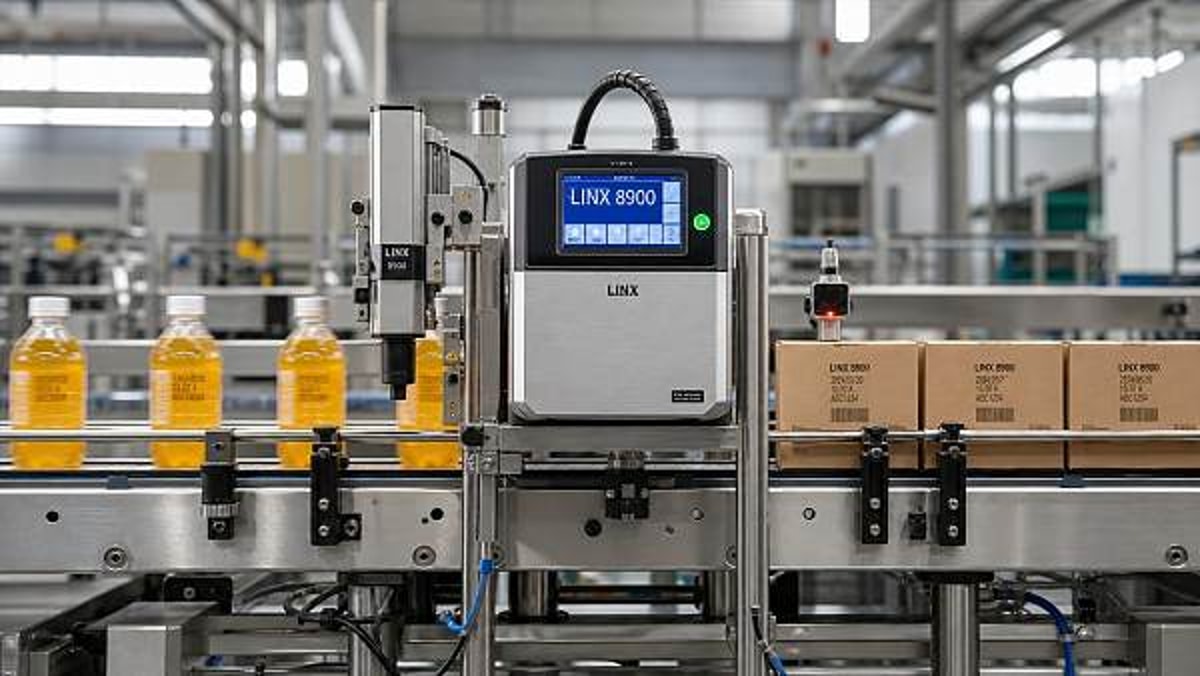
On beverage lines, output speed is often the dominant selection factor, but it should not be considered in isolation. Bottles may be wet, cold, curved, and moving with minimal spacing. In this setting, the continuous inkjet printer must maintain code clarity without requiring excessive head repositioning or constant operator intervention. Ink drying performance and adhesion are critical because smearing or fading can quickly turn into reject accumulation downstream.
Project leaders should evaluate whether the printer can sustain the required print frequency at peak line speed with the actual code content, not just with a simple test string. A short date code is easier than a longer batch plus shift plus QR-related text sequence. It is also wise to check enclosure robustness if the line includes washdown zones, sugar exposure, or sticky product buildup. In this scenario, uptime and easy preventive maintenance usually matter more than advanced formatting options that operators rarely use.
Best-fit checks for this scenario
Confirm the maximum line speed with your real substrate, ask for examples on wet or cold packaging, and review how quickly filters, fluids, or consumables can be changed during planned stops. For a high-speed bottling project, a continuous inkjet printer with proven reliability and strong service support often delivers more value than a lower-price unit with higher maintenance sensitivity.
Scenario 2: Flexible packaging and frequent SKU change environments
Food pouches, snack bags, laminated films, and flexible wraps create a different challenge. Here, the main issue is not always absolute speed, but variation. Film chemistry changes, print areas may be small, and product teams may update packaging artwork often. In these operations, the continuous inkjet printer needs flexible message handling, reliable adhesion across substrates, and simple setup for operators who may manage multiple lines at once.
The risk in this scenario is underestimating human factors. A technically capable printer can still cause downtime if job selection is confusing or if the interface makes changeovers slow. Project managers should look for recipe storage, access control, and integration with line control or MES where applicable. These functions reduce coding errors when many SKUs are packed in short runs. If a plant serves export markets, language-neutral message logic and date formatting control can also be important.
Scenario 3: Pharmaceutical, medical, and regulated consumer goods
In regulated sectors, code content and evidence of control can outweigh raw throughput. Cartons, labels, blister overwraps, and small-format packs may require highly legible lot, date, and traceability information. The continuous inkjet printer must produce consistent characters and support integration with vision inspection, reject systems, and audit requirements. Even if line speed is moderate, the cost of a coding failure is high because it can affect compliance, recalls, or customer trust.
For this scenario, engineering teams should assess print contrast, message security, user permissions, and compatibility with validation processes. It is also essential to understand how the printer handles alarm history, fault reporting, and data exchange. A continuous inkjet printer chosen for regulated packaging should not be evaluated only as a standalone device; it is part of a controlled packaging system.
Scenario 4: Corrugated, outer case, and secondary packaging areas
Secondary and tertiary packaging often operate in rougher environments than primary pack lines. Dust, vibration, larger boxes, and less precise product positioning can all affect print results. In these areas, a continuous inkjet printer may be used for simple shipping codes, production identifiers, or internal logistics marks. The application may appear less demanding, but environmental factors frequently create hidden reliability issues.
Selection should focus on practical installation geometry, acceptable throw distance, maintenance access, and code visibility on porous materials. If conveyors are wide or product orientation varies, the mounting concept becomes almost as important as the printer itself. A project team that ignores bracket design, cable routing, or operator access can end up blaming the continuous inkjet printer for issues caused by poor line integration.
How to compare requirements across scenarios
A structured comparison helps teams avoid emotional or brand-driven decisions. The table below can be used during internal reviews, RFQ preparation, or supplier discussions.
Selection factors project managers should verify early
No matter the application, a strong continuous inkjet printer selection process should verify five points before final approval.
First, confirm real operating speed. Request testing with actual code length and actual package movement conditions. Published speed ranges are useful, but line behavior matters more than brochure numbers.
Second, check substrate and ink match. Packaging lines may run PET, glass, coated cartons, films, foil laminates, or corrugated. Ink suitability affects adhesion, drying time, contrast, and resistance to handling.
Third, evaluate integration effort. Review encoder needs, communication protocols, mounting options, alarm outputs, and links to inspection devices. A continuous inkjet printer that is easy to buy but hard to integrate can delay the whole project.
Fourth, estimate total cost of ownership. Include consumables, routine service parts, planned maintenance time, training, and local technical support. In many plants, operational cost differences become more important than purchase price within the first year.
Fifth, assess operator fit. Consider the skill level of the people who will run and maintain the line. Simpler interfaces, guided maintenance, and clear fault messages reduce avoidable stops.
Common misjudgments when choosing a continuous inkjet printer
A common mistake is specifying only the code content and ignoring the production environment. Heat, humidity, dust, washdown, vibration, and limited access can all change performance. Another frequent error is treating every line in a factory the same. Standardization can be useful, but forcing one continuous inkjet printer model across very different scenarios may increase downtime or complexity.
Teams also tend to underestimate future changes. If a plant expects export expansion, new packaging formats, or more serialized data handling, the selected solution should leave room for growth. Finally, some buyers focus too heavily on printhead technology and not enough on support responsiveness. On a high-speed packaging line, service availability and spare part logistics can be as strategic as technical specifications.
A practical decision path for engineering and sourcing teams
For a reliable outcome, build a short decision path: define the operating scenario, rank selection priorities, test on the real substrate, verify integration points, and model annual operating cost. Then compare suppliers based on evidence rather than claims. This is where a data-driven sourcing mindset adds value, especially for organizations managing diverse packaging and printing operations across regions.
If your team is evaluating a continuous inkjet printer for a new project, start by documenting line speed, package type, code requirements, environmental exposure, and staffing realities. From there, ask vendors to show how their solution performs in your specific scenario, not an ideal one. The right choice is the printer that fits your packaging line’s real conditions, supports long-term reliability, and keeps production moving without unnecessary complexity.
FAQ: scenario-based questions buyers often ask
Is a continuous inkjet printer always the best option for high-speed packaging?
Not always, but it is often a strong fit where non-contact coding, flexible message content, and high throughput are required. The best option depends on substrate, code size, and compliance needs.
What matters most on mixed-product lines?
Fast message changeover, error-proof job selection, broad ink compatibility, and easy operator use usually matter more than peak speed alone.
How should project managers compare suppliers?
Compare tested performance in your application, maintenance demands, local service capability, integration support, and annual cost of ownership rather than unit price only.
When should a buyer be cautious?
Be cautious when the line has unusual environmental exposure, very small print windows, strict validation requirements, or frequent format changes that were not considered in the original specification.
Recommended News
 Home DecorLuxury Watch Packaging: Details That Shape the Unboxing ExperienceLuxury watch packaging defines first impressions, perceived value, and brand prestige. Discover the key details that elevate unboxing, protection, and sustainable appeal.Interior Sourcing LeadMay 05, 2026
 Eco PackagingAluminum Beverage Cans: Cost Factors Behind Lightweight Can FormatsAluminum beverage cans cost more than unit price alone—explore how lightweight formats impact material spend, freight, efficiency, and ESG value to support smarter sourcing decisions.Packaging Supply ExpertMay 05, 2026
 Printing EquipmentContinuous Inkjet Printer Selection Tips for High-Speed Packaging LinesContinuous inkjet printer selection tips for high-speed packaging lines: compare uptime, ink adhesion, integration, maintenance, and total cost to choose the right coding solution.Packaging Supply ExpertMay 05, 2026
 Industrial FastenersStainless Steel Carriage Bolts: Where They Work Better Than Hex BoltsStainless steel carriage bolts work better than hex bolts in wood, outdoor, and public-facing projects. Learn when they improve safety, appearance, and corrosion resistance.Tooling & Hardware LeadMay 05, 2026