Industry News
Curation by industry experts
Hot Articles
Popular Tags
How to Choose a High Brightness LCD Screen for Sunlit Installations
Choosing a high brightness LCD screen for sunlit installations requires more than comparing nits on a spec sheet. For technical evaluators, the right display must balance visibility, thermal performance, power efficiency, optical bonding, and long-term reliability in demanding outdoor or high-ambient-light environments. This guide outlines the key factors that determine whether a screen will perform consistently in real-world sunlight exposure.
What technical evaluators are really trying to decide
When engineers or sourcing teams search for a high brightness LCD screen, they usually are not looking for a basic definition. They want a practical selection framework.
The core intent is evaluative and comparative. Readers need to know which specifications matter, which marketing claims are misleading, and how to avoid display failures after deployment.
In sunlit installations, the main question is simple: will this screen remain readable, stable, and serviceable under actual environmental stress rather than ideal lab conditions?
That means the best buying decision rarely comes from brightness alone. It comes from understanding optical performance, thermal limits, enclosure design, operating cycle, and lifecycle support together.
Why brightness in nits is important, but never the full answer
The first filter for any high brightness LCD screen is luminance, commonly measured in nits or candelas per square meter. Higher nits generally improve visibility in direct or indirect sunlight.
However, technical evaluators should avoid treating brightness as a standalone pass-fail metric. A 1500-nit display with high surface reflection may perform worse outdoors than a lower-rated panel with better optical treatment.
For many semi-outdoor applications, such as kiosks under canopies or industrial terminals near loading bays, 1000 to 1500 nits may be acceptable with proper anti-reflective design.
For installations exposed to direct noon sunlight, 1500 to 2500 nits is often a more realistic working range. In especially harsh environments, even higher output may be required.
That said, more brightness also means more heat, higher power draw, and potentially shorter backlight life. The right target is not the highest number, but the best operating balance.
How to judge sunlight readability instead of just panel output
Sunlight readability depends on contrast under ambient light, not just raw luminance. A screen can be very bright and still look washed out if reflections overwhelm the image.
Ask suppliers for sunlight readability data that includes ambient contrast ratio, reflectance values, and test conditions. If they only provide brightness, the evaluation is incomplete.
Surface treatment matters greatly. Anti-glare coatings diffuse reflections, while anti-reflective coatings reduce reflected light. These are not the same and they affect clarity differently.
In some use cases, anti-glare finishes reduce mirror-like reflection but slightly soften image sharpness. Anti-reflective treatments often preserve better clarity, especially for map, UI, or text-heavy interfaces.
If the application involves fine data reading, such as industrial diagnostics or marine instrumentation, prioritize real visual performance with actual content samples under strong illumination.
Optical bonding is often the feature that separates acceptable from excellent
For outdoor and sunlit systems, optical bonding is one of the most valuable upgrades. It fills the air gap between the LCD and cover glass with an optical-grade adhesive.
This improves readability by reducing internal reflections. It also enhances perceived contrast, increases ruggedness, and can help manage condensation in demanding environments.
Without optical bonding, sunlight can create multiple reflective surfaces between the panel and top glass. The result is glare, reduced image depth, and lower legibility in bright scenes.
Bonded displays usually perform better in transportation, industrial control, EV charging, marine, and outdoor retail applications where changing light angles are unavoidable.
For technical evaluators, the key question is whether the installation environment justifies the additional cost. In many sunlit deployments, the answer is yes because readability is mission critical.
Thermal performance should be evaluated as seriously as brightness
A high brightness LCD screen generates more heat than a standard display, especially when operating at maximum backlight levels for long periods. Heat is one of the main causes of degraded reliability.
Many field issues blamed on panel quality are actually thermal design failures at the system level. The display may be specified correctly but installed in an enclosure that traps heat.
Review operating temperature range, storage temperature, brightness derating behavior, and thermal protection mechanisms. Also confirm whether the vendor provides temperature test data under full-brightness operation.
Blackened screens, mura, color shift, touch instability, and shortened LED backlight life can all appear when thermal conditions are underestimated. Direct sun on the enclosure can amplify these effects.
For outdoor equipment, evaluate the entire thermal path: panel heat generation, enclosure material, ventilation strategy, internal airflow, heat sinks, and solar loading on the housing.
Power consumption affects system design more than many buyers expect
As brightness rises, power demand usually rises with it. This has implications not only for electricity cost but also for power supply sizing, battery runtime, and thermal accumulation.
In applications such as mobile equipment, solar-powered systems, roadside units, or remote terminals, display power efficiency can influence total system feasibility.
Ask for typical and maximum power consumption at various brightness levels rather than a single nominal figure. Dynamic dimming support may create meaningful savings over the life of the product.
Automatic brightness control based on ambient light sensors is especially useful in installations where full output is only necessary during peak sunlight periods.
A technically strong display solution should deliver enough readability margin while avoiding needless overdesign that increases energy use and system cooling burden.
Touch performance in sunlight and outdoor use deserves separate validation
If the screen includes touch input, do not assume the touch layer will perform well just because the LCD itself is bright enough. Outdoor usability adds another evaluation layer.
Projected capacitive touch can be affected by water, gloves, EMI, cover glass thickness, and bonding quality. In public or industrial settings, these variables matter as much as image visibility.
Check whether the touch system supports operation with gloved hands, wet conditions, or thick protective glass if the installation demands those capabilities.
Also review optical tradeoffs. Some touch stacks reduce transmittance, which means the display needs more backlight output to achieve the same perceived brightness.
For integrated systems, the correct decision is based on display-plus-touch optical efficiency, not panel brightness in isolation.
Environmental sealing and mechanical integration can make or break field performance
Sunlit installations often face more than strong light. They may also encounter moisture, dust, vibration, UV exposure, salt spray, and repeated temperature cycling.
As a result, the screen selection process should include enclosure interface details, front surface durability, ingress protection targets, and resistance to yellowing or delamination over time.
Cover glass strength, edge sealing, gasket compatibility, and mounting stress all affect reliability. A good panel can fail early if the mechanical integration creates pressure points or uneven expansion.
For transportation and industrial equipment, shock and vibration resistance should be reviewed along with mounting orientation and service access.
When comparing suppliers, technical evaluators should favor those who can discuss complete integration conditions rather than only panel-level specifications.
Backlight lifetime and dimming strategy are central to long-term value
Backlight life is one of the clearest indicators of long-term ownership cost in a high brightness LCD screen. Yet lifetime figures are often presented without useful context.
Verify whether the quoted lifetime refers to L50, L70, or another threshold, and under what temperature and brightness conditions the measurement was taken.
A display rated for long life in controlled indoor operation may age much faster in a hot outdoor cabinet running near maximum luminance every day.
Dimming strategy matters here. If the application can use automatic brightness adjustment, nighttime dimming, or scheduled luminance profiles, backlight stress can be reduced significantly.
For fleets, kiosks, or distributed infrastructure, this can delay maintenance cycles and improve total cost of ownership more than a minor difference in initial panel price.
Color, viewing angle, and image quality still matter in functional installations
Some procurement teams focus so heavily on brightness that they overlook image quality factors. But poor color stability or narrow viewing angles can still reduce usability in the field.
If users approach the screen from varied positions, an IPS-based architecture is often preferable because it offers more consistent color and contrast off-axis.
This is especially relevant for public signage, smart lockers, EV chargers, outdoor payment systems, and collaborative industrial interfaces where viewing position is unpredictable.
Also assess whether the content is video-heavy, text-heavy, or UI-heavy. Different content types reveal different weaknesses in sharpness, black depth, and reflective handling.
The best display is not just visible in sunlight. It should remain readable and visually coherent for the actual information users need to consume quickly.
What to ask suppliers before approving a display
Technical evaluators can save time by using a structured supplier questionnaire. Start with measured brightness, reflectance, contrast in ambient light, and optical bonding details.
Then request operating temperature data at full luminance, power consumption curves, dimming control options, backlight lifetime methodology, and touch transmittance if applicable.
Ask whether the screen has been deployed in similar use cases, such as outdoor kiosks, transportation displays, marine systems, or industrial HMIs exposed to sunlight.
It is also useful to request compliance and reliability information, including UV exposure tests, vibration tests, ingress-related design compatibility, and long-term supply commitments.
Suppliers that answer clearly with application-level evidence are usually lower risk than those who only repeat generic catalog specifications.
How to compare candidate screens in a practical evaluation workflow
A strong evaluation process moves from paper screening to controlled testing and then field simulation. Start by eliminating options that miss core environmental or optical requirements.
Next, compare shortlisted models using the same content, same viewing distance, and similar ambient lighting conditions. Text readability and reflection behavior should be judged visually, not abstractly.
If possible, test the screen inside the intended enclosure or a thermal mockup. This often reveals overheating, dimming instability, or glare problems that are invisible in lab bench reviews.
Include service and sourcing criteria as well. For B2B buyers, a technically good screen with unstable availability or weak support may still be the wrong choice.
Final approval should balance optical performance, reliability risk, integration complexity, lifecycle cost, and supplier responsiveness.
Common mistakes when selecting a high brightness LCD screen
The most common mistake is equating sunlight readability with high nits alone. This leads to expensive displays that still disappoint in the field due to reflection or thermal limitations.
Another frequent error is ignoring enclosure heat gain. Even a well-specified display may fail if the surrounding system has poor ventilation or high solar absorption.
Some teams also underestimate touch stack losses, power demand, or the need for automatic dimming. These oversights can compromise user experience and raise operating costs.
Others select on unit price without considering backlight replacement intervals, support continuity, or deployment environment similarity. Low upfront cost can create high downstream risk.
The safest approach is to evaluate the display as part of a complete operating system, not as an isolated component.
Conclusion: choose for field performance, not brochure performance
For sunlit installations, the right high brightness LCD screen is the one that stays readable, thermally stable, energy-aware, and reliable over time in the real deployment environment.
Technical evaluators should prioritize a combination of luminance, low reflectance, optical bonding, thermal robustness, power efficiency, and validated lifecycle performance.
If a supplier only offers a brightness number, the assessment is incomplete. The better question is how the screen behaves under actual sunlight, heat, and operating duty.
In practice, the best decisions come from comparing full system behavior rather than headline specs. That is how buyers reduce risk and choose displays that perform beyond the datasheet.
Recommended News
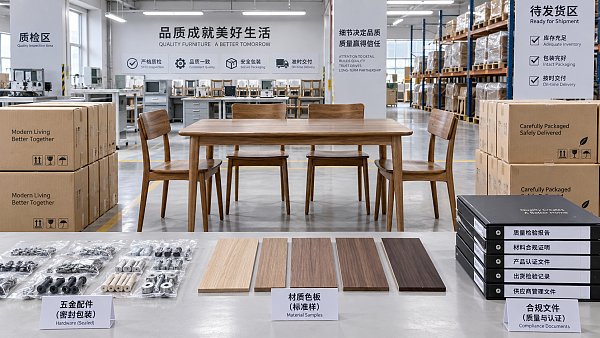
 Office FurnitureHow supplier scorecards reduce risk in furniture procurementFurniture procurement supplier management becomes more resilient with supplier scorecards that track quality, delivery, compliance, and corrective actions. Learn how to reduce sourcing risk.Interior Sourcing LeadSep 26, 2026
 Office Paper & Printing PaperHow roll diameter affects downtime when using jumbo paper rollsJumbo paper rolls can cut changeovers and downtime—if your unwinder, handling, and tension control can support them. Find the optimal roll diameter for smoother output.Packaging Supply ExpertSep 25, 2026
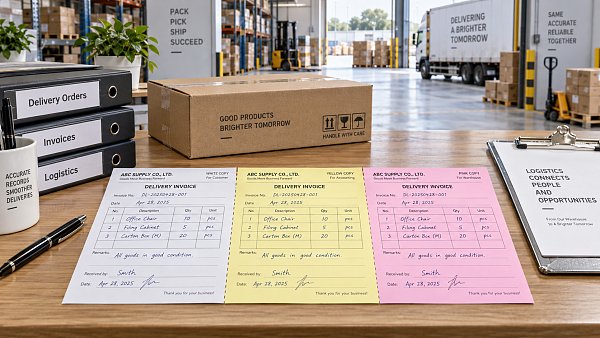
 Office Paper & Printing PaperWhen does carbonless paper for invoices reduce billing errors?Carbonless paper for invoices reduces billing errors by creating clear, consistent copies for deliveries, service calls, and approvals. Learn when it strengthens billing control.Packaging Supply ExpertSep 24, 2026
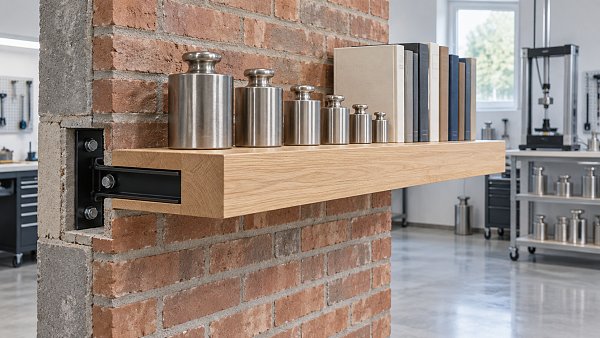
 Home DecorHow to compare floating wall shelves suppliers for consistent load capacityFloating wall shelves supplier comparison guide: evaluate load capacity, brackets, wall fixings, testing, and production consistency before you buy.Interior Sourcing LeadSep 23, 2026