Industry News
Curation by industry experts
Hot Articles
Popular Tags
Interactive Touch Screen Whiteboard: What Matters Beyond Size
Choosing an interactive touch screen whiteboard is no longer just about picking the right size. In today’s commercial, educational, and hybrid collaboration environments, screen dimensions are only one variable in a much broader evaluation model. Display clarity, touch response, software ecosystem, device connectivity, lifecycle durability, and total cost of use now shape whether an installation improves communication or creates ongoing friction. As digital workspaces expand across offices, training rooms, showrooms, and cross-border operations, understanding what matters beyond size helps decision-making become more strategic, measurable, and future-ready.
Why the interactive touch screen whiteboard market is shifting beyond simple size comparisons
The market for the interactive touch screen whiteboard has changed because user expectations have changed. A large display once signaled capability. Today, that assumption no longer holds. In many settings, a bigger board with weak touch precision or poor software integration delivers less value than a smaller model with stronger collaboration features. This shift reflects a larger trend across light manufacturing, commercial technology deployment, and workplace modernization: hardware is being judged by how well it supports workflows, not just by physical specifications.
Another signal is the spread of multi-environment use cases. The same interactive touch screen whiteboard may be expected to support presentations, brainstorming, video conferencing, annotation, file sharing, remote training, and digital signage. As a result, evaluation criteria now extend into user interface design, latency control, operating system flexibility, and compatibility with cloud-based collaboration tools. Organizations are not simply buying a screen; they are investing in a collaboration node inside a broader digital ecosystem.
This trend also matters in procurement and sourcing decisions because replacement cycles are becoming longer and capital efficiency is under greater scrutiny. A board that looks competitive on upfront price but falls short on updates, support, or durability can become a hidden cost center within a few years.
The strongest trend signals behind better interactive touch screen whiteboard selection
Several market signals explain why buyers are paying closer attention to the full performance profile of an interactive touch screen whiteboard. These signals are visible across education, meeting technology, commercial interiors, retail communication, and enterprise collaboration systems.
What is driving this change in interactive touch screen whiteboard expectations
The shift toward deeper evaluation is not accidental. It is being driven by technical, operational, and economic factors that affect how an interactive touch screen whiteboard performs over time.
- Display technology has matured. Buyers now expect high brightness, wide viewing angles, and low reflection as standard, especially in well-lit commercial spaces.
- Touch interaction has become a productivity tool. Fast response, palm rejection, multi-user writing, and precise object recognition directly affect usability.
- Collaboration software is central to value creation. Whiteboarding apps, wireless casting, remote annotation, and file sharing increasingly define day-to-day relevance.
- Infrastructure diversity is increasing. Different rooms use different operating systems, cameras, conferencing platforms, and network permissions, making compatibility essential.
- Durability expectations are rising. Repeated touching, long screen-on hours, and public or semi-public use demand stable build quality and easy maintenance.
- Total cost visibility is improving. Energy use, support terms, software licensing, and spare parts are more visible during sourcing reviews than in the past.
How the wrong interactive touch screen whiteboard affects real business performance
A poor-fit interactive touch screen whiteboard does more than disappoint users. It can create workflow disruption, lower meeting efficiency, and reduce the return on broader digital transformation efforts. If the board has weak touch tracking, participants spend time correcting writing rather than focusing on decisions. If visual output is dim or reflective, content becomes harder to read, especially in open offices or training environments. If the software layer is unstable, teams may revert to separate devices and fragmented collaboration processes.
The impact can extend across several business functions. Internal communication may slow down. Training sessions may lose engagement. Sales or demonstration environments may appear less polished. In distributed operations, a board with limited remote collaboration support can create inconsistency between locations. In other words, the value of an interactive touch screen whiteboard is tightly connected to how smoothly it supports shared work, not just how large it looks on a wall.
Typical performance gaps that emerge after installation
- Slow wake-up or boot times that interrupt meeting flow
- Inconsistent wireless sharing from laptops or mobile devices
- Touch lag during handwriting or diagram annotation
- Limited app support for existing collaboration platforms
- Poor readability under strong ambient lighting
- High maintenance dependency due to fragile components or limited support
What should be prioritized beyond size when evaluating an interactive touch screen whiteboard
The most reliable evaluation approach is to compare an interactive touch screen whiteboard across a set of weighted factors rather than focusing on size alone. The priorities below reflect the areas where long-term value is usually won or lost.
- Display quality: Check resolution, brightness, contrast, anti-glare treatment, and readability from different angles.
- Touch accuracy: Evaluate latency, writing smoothness, multi-touch support, stylus behavior, and palm rejection.
- Software compatibility: Confirm support for conferencing platforms, cloud storage tools, office suites, and whiteboard applications already in use.
- Connectivity: Review USB-C, HDMI, OPS support, wireless casting, Bluetooth, and network integration requirements.
- Durability and maintenance: Assess glass strength, thermal management, cleaning requirements, firmware update path, and warranty structure.
- User experience: Navigation should be intuitive enough that users can begin sessions without technical assistance.
- Total value: Look beyond purchase price to include training, support, upgrade potential, and expected service life.
A practical comparison framework for interactive touch screen whiteboard decisions
Where future demand is heading for interactive touch screen whiteboard solutions
Future demand for the interactive touch screen whiteboard is likely to favor solutions that combine hardware reliability with flexible software ecosystems. Buyers are increasingly looking for devices that support hybrid teamwork, easy content sharing, low training requirements, and long operational life. This means the most competitive products will not simply be larger or thinner; they will be easier to integrate, easier to maintain, and better aligned with changing communication habits.
There is also a growing preference for technology that can serve multiple spaces and business functions without extensive customization. In practical terms, an interactive touch screen whiteboard that works equally well for internal planning, customer presentations, training sessions, and remote workshops will often outperform a more specialized option. Versatility is becoming a strategic advantage.
What to do next before committing to an interactive touch screen whiteboard
Before final selection, build a short evaluation matrix based on real usage conditions rather than brochure claims. Test the interactive touch screen whiteboard under normal lighting, with the software platforms already used in daily operations, and with more than one participant writing or presenting at the same time. Review update support, warranty terms, service responsiveness, and expected lifecycle costs in parallel with technical specifications.
For market-facing organizations tracking sourcing trends, this category reflects a broader procurement lesson: meaningful value often sits in performance integration rather than in the most obvious headline feature. The best interactive touch screen whiteboard is not automatically the largest one. It is the one that delivers clear visuals, accurate interaction, dependable compatibility, and durable long-term use within the environments where collaboration actually happens.
A structured review process turns comparison into confidence. When display quality, touch precision, software fit, resilience, and lifecycle economics are evaluated together, the final choice is more likely to support productivity, strengthen communication, and generate lasting operational value.
Recommended News
 Export UpdatesNingbo Port Launches 'Green Export Index' for Wedding Photography GoodsWedding photography goods exporters: Ningbo Port’s new Green Export Index reveals 98.2% customs pass rate for OEKO-TEX®/GOTS fabrics & IEC 62471 LED lights — boost your sustainability credibility now.May 09, 2026
 Carton & PlasticsECHA Adds D-Limonene to SVHC List: Impact on Bridal Photo Spray ExportsBridal photo spray exporters: ECHA’s D-Limonene SVHC listing (May 2026) triggers urgent SDS & label updates for EU-bound hair and fabric sprays.Packaging Supply ExpertMay 09, 2026
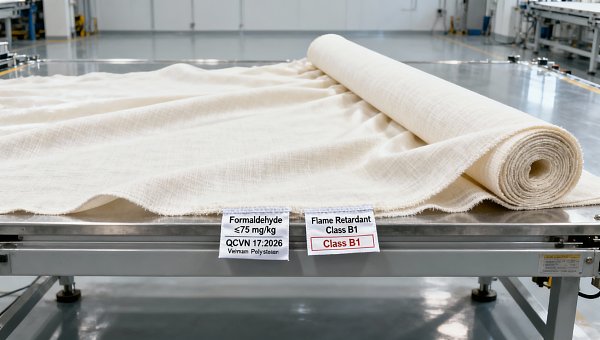
 Fabrics & YarnsVietnam Enforces QCVN 17:2026 for Wedding Photo BackdropsVietnam enforces QCVN 17:2026 for wedding photo backdrops—mandatory formaldehyde testing & B1 flame-retardant labeling. Ensure compliance now to avoid market access delays.Textile Industry AnalystMay 09, 2026
 Building HardwareIndia BIS Mandate: Aluminum Photo Backdrop Stands Must Pass Dual Testing by June 30, 2026Aluminum photo backdrop stands for wedding photography must pass BIS salt spray & load testing by June 30, 2026—secure certification now to avoid import bans in India.Tooling & Hardware LeadMay 09, 2026