Industry News
Curation by industry experts
Hot Articles
Popular Tags
Digital Menu Board Display Trends for Faster Content Updates in 2026
As customer expectations and operational agility become central to commercial success, digital menu board display strategies are evolving rapidly for 2026. From cloud-based content control to AI-assisted scheduling and multi-location synchronization, businesses now need faster, smarter ways to keep messaging accurate and engaging. This article explores the key trends helping decision-makers improve update speed, brand consistency, and display ROI across dynamic retail and hospitality environments.
For enterprise buyers, the issue is no longer whether to deploy a digital menu board display, but how to build a system that supports fast revisions across stores, channels, and dayparts without increasing operational risk. In food service, quick commerce, travel retail, and branded hospitality, delays of even 15 to 30 minutes can lead to pricing errors, compliance gaps, and missed promotional windows.
That is why 2026 planning is shifting toward update speed, centralized governance, hardware reliability, and integration readiness. Procurement leaders, sourcing managers, and commercial operators need practical benchmarks for selecting display infrastructure that can scale from 5 sites to 500 while keeping content control efficient and measurable.
Why Faster Content Updates Are Now a Core Business Requirement
A digital menu board display has become part of the operating system of modern customer-facing environments. It now supports pricing updates, limited-time offers, nutritional messaging, brand storytelling, queue management, and cross-sell logic. In high-traffic settings, content may need to change 3 to 12 times per day, not once per week.
For decision-makers, faster updates affect more than marketing. They influence labor efficiency, franchise consistency, and customer trust. If one location runs an expired breakfast menu for 45 minutes or displays a promotion that inventory cannot support, the commercial and service impact is immediate.
Operational pressure is increasing across multi-site environments
Retailers and hospitality groups are managing more locations, more product variation, and more regional pricing than in previous years. A chain with 80 outlets may run 4 dayparts, 6 recurring promotions, and 3 seasonal campaigns in a single quarter. Manual USB updates or isolated local control can no longer support that complexity.
The shift to cloud-managed digital menu board display networks reduces human handling steps from 5 or 6 down to 2 or 3 in many standard workflows. That matters because every removed touchpoint lowers the chance of delay, formatting error, or wrong-store publication.
Speed must be matched by governance
Fast updates are only valuable if they remain controlled. Enterprise teams increasingly require role-based permissions, approval routing, content version history, and audit trails. These functions matter when multiple departments, agencies, and regional teams are publishing on the same network within a 24-hour cycle.
In practice, the strongest systems combine rapid publishing with safeguards such as template locking, scheduled deployment windows, and fallback content. That balance helps organizations move quickly without compromising brand standards or pricing accuracy.
Common consequences of slow update processes
- Price mismatches between POS and screen content
- Expired campaigns remaining visible for 1 to 4 hours
- Higher labor dependency at store level
- Inconsistent visuals across regions or franchise groups
- Slower response to stockouts, weather, and demand spikes
The following comparison shows why update architecture is now a procurement issue, not just a marketing tool decision.
The key conclusion is straightforward: update speed improves when the publishing model is centralized, but the real value comes when speed is supported by permissions, templates, and monitoring. This is where leading digital menu board display strategies are differentiating in 2026.
The Leading Digital Menu Board Display Trends for 2026
The market is moving beyond isolated screens toward connected display ecosystems. Enterprise buyers are prioritizing software-led flexibility, device interoperability, and data-aware content automation. Below are the trends most relevant to faster updates and lower operating friction.
1. Cloud-native content control becomes the default
In 2026, cloud-native management is expected to be the baseline for any multi-location digital menu board display deployment. It allows centralized teams to push revisions across dozens or hundreds of endpoints from one interface, with time-zone awareness and location-specific overrides.
This model supports faster emergency changes, such as out-of-stock replacement within 5 to 15 minutes, and planned changes, such as breakfast-to-lunch transitions at precise times. It also simplifies software patching and user management compared with fragmented local systems.
2. AI-assisted scheduling improves timing accuracy
AI-supported workflows are becoming useful in practical, narrow ways. Rather than replacing human merchandising, they help teams suggest content rotation based on daypart, weather, queue length, historical engagement, or sales velocity. This can reduce planning effort by several hours per week for regional operators.
For example, a digital menu board display can automatically prioritize hot beverages on colder mornings or suppress low-stock items during peak lunch windows. The important procurement question is whether the system offers transparent rule-setting and manual override, not just automation claims.
3. Multi-location synchronization is becoming more granular
Earlier generations of digital signage often forced a choice between full standardization and local independence. Newer platforms allow layered publishing: global brand content, country-specific pricing, regional compliance notices, and store-level exceptions. That hierarchy is especially relevant for operators with 3 to 5 management tiers.
This makes a digital menu board display more useful in franchise and distributed retail models, where central teams need consistency but field teams still require flexibility for local availability and market conditions.
4. Integration with POS, inventory, and analytics is accelerating
The most valuable update trend is not visual at all. It is system integration. When screens connect to POS, inventory, or ERP data, update latency can fall sharply because content changes no longer rely on manual intervention. A sold-out item can be hidden, or a bundle can be activated when stock thresholds are met.
Enterprise teams should assess API availability, middleware compatibility, and refresh intervals. In many use cases, a 1 to 5 minute sync window is sufficient, while highly dynamic environments may require near-real-time response.
Trend priorities by decision criteria
The table below translates the major 2026 trends into procurement relevance for enterprise planning.
For most enterprise buyers, the right priority sequence is management first, integration second, and automation third. Without stable control and reliable data flow, advanced features may create more complexity than value.
How to Select the Right System for Enterprise Deployment
Choosing a digital menu board display for 2026 requires evaluation across hardware, software, service, and sourcing resilience. Display brightness and screen size still matter, but they are no longer enough. The real question is whether the full system can support ongoing operational change at scale.
Hardware specifications should match environment, not assumptions
Indoor quick-service and café environments commonly use 32-inch to 55-inch screens, while larger ordering zones may require 65-inch layouts or stretched bar displays. Brightness ranges often sit between 350 and 700 nits indoors, but spaces with strong ambient light may need the upper end of that range.
Decision-makers should also review operating hours, thermal design, and media player stability. A screen running 16 hours per day has different durability requirements than one running 24/7 in transport or travel retail settings.
Software usability determines long-term update speed
A digital menu board display platform should reduce dependence on specialized staff. In many organizations, content changes are handled by marketing coordinators, operations managers, and regional administrators rather than designers alone. Template reuse, drag-and-drop editing, and approval workflows can shorten routine updates from hours to minutes.
At minimum, buyers should test 6 core functions: scheduling, user permissions, proofing, remote monitoring, asset organization, and rollback. If rollback takes more than 2 or 3 clicks, recovery during a live campaign issue may be too slow.
Service and supply chain readiness matter in B2B procurement
For sourcing teams, supplier capability extends beyond the display unit itself. Lead times for commercial screens, mounts, players, and replacement components can vary from 2 weeks to 12 weeks depending on region and configuration. Buyers should confirm spare parts policy, installation support, firmware maintenance, and failure response procedures.
This is especially relevant for organizations managing cross-border procurement. A lower unit price may not be attractive if local support is weak, software localization is limited, or regional compliance labeling is incomplete.
A practical 5-point evaluation checklist
- Confirm update architecture: local, hybrid, or cloud-centralized
- Verify integration options with POS, stock, and analytics tools
- Review deployment lead time, replacement availability, and support SLAs
- Test user roles, approval routing, and rollback process
- Assess total operating cost over 24 to 36 months, not only hardware price
In many cases, the best-performing digital menu board display system is not the one with the most features, but the one with the fewest operational bottlenecks after launch.
Implementation Risks, Common Mistakes, and ROI Considerations
Even strong technology choices can underperform if implementation is poorly structured. Enterprise teams often focus on screen procurement first and workflow design second. For 2026, that sequence should be reversed. The content process, governance model, and integration map should be defined before large-scale rollout.
Frequent mistakes in digital menu board display projects
One common error is underestimating content maintenance volume. A network with 50 stores and 4 dayparts can generate hundreds of active content states in a month. Without disciplined naming, tagging, and template rules, update speed declines as the library grows.
Another mistake is treating every location the same. Site conditions vary by traffic pattern, lighting, network quality, and customer dwell time. A successful digital menu board display rollout often includes 2 to 3 pilot formats before full deployment.
ROI should include labor, error reduction, and campaign agility
ROI is often evaluated too narrowly through sales uplift alone. Decision-makers should include reduced manual update time, fewer compliance issues, faster launch of limited-time offers, and lower reprint waste compared with static signage. These operational gains often justify investment even before direct revenue lift is measured.
A realistic review period is usually 6 to 12 months. In that window, enterprises can compare update labor hours, campaign execution speed, screen uptime, and content error frequency against pre-deployment baselines.
Suggested KPI framework for the first year
- Average content update time per campaign
- Percentage of locations updated within target window
- Pricing or product display error rate
- Screen uptime by site and device type
- Labor hours saved per month versus manual methods
- Promotion launch speed across all participating locations
For organizations sourcing globally, this also creates a strategic advantage. The right display partner and content platform can support standardization across regions while allowing local adaptation, which is increasingly important in fragmented retail and hospitality markets.
Questions enterprise buyers should ask before signing
Before final approval, teams should request a live demonstration of scheduling, bulk edits, and rollback. They should also ask how the system behaves during network interruption, what offline playback rules apply, and how quickly failed devices can be identified remotely.
These details may appear technical, but they directly affect field execution. A digital menu board display that looks impressive in a showroom can still create friction if remote support is slow or publishing logic is too rigid for real commercial use.
The 2026 direction is clear: faster content updates depend on more than better screens. They require a digital menu board display strategy built around centralized control, integration, flexible governance, and sourcing reliability. For enterprise decision-makers, the most effective systems are those that shorten update cycles, protect brand consistency, and support measurable operational improvement across locations.
Global Supply Review helps procurement leaders and commercial teams evaluate display technologies, sourcing options, and implementation factors with a practical B2B lens. If you are planning a new rollout, upgrading a legacy network, or comparing supplier capabilities for multi-market deployment, contact us to discuss your requirements, request a tailored solution view, and explore more digital display sourcing insights.
Recommended News
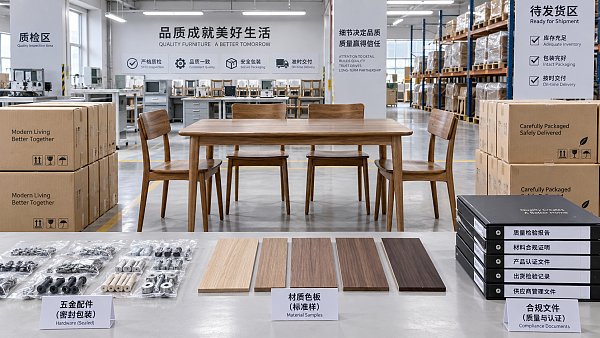
 Office FurnitureHow supplier scorecards reduce risk in furniture procurementFurniture procurement supplier management becomes more resilient with supplier scorecards that track quality, delivery, compliance, and corrective actions. Learn how to reduce sourcing risk.Interior Sourcing LeadSep 26, 2026
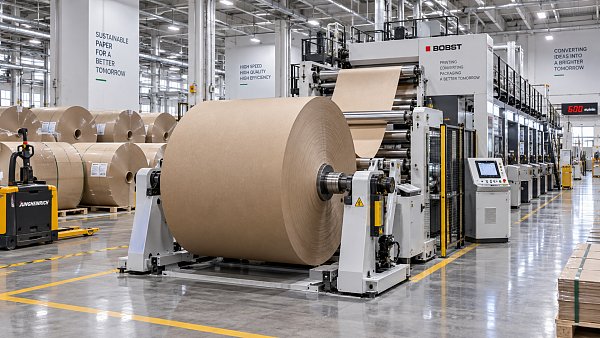
 Office Paper & Printing PaperHow roll diameter affects downtime when using jumbo paper rollsJumbo paper rolls can cut changeovers and downtime—if your unwinder, handling, and tension control can support them. Find the optimal roll diameter for smoother output.Packaging Supply ExpertSep 25, 2026
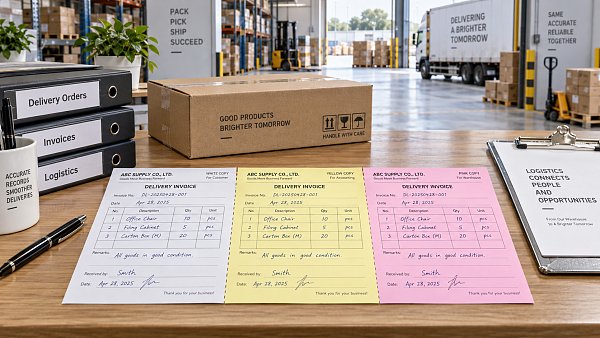
 Office Paper & Printing PaperWhen does carbonless paper for invoices reduce billing errors?Carbonless paper for invoices reduces billing errors by creating clear, consistent copies for deliveries, service calls, and approvals. Learn when it strengthens billing control.Packaging Supply ExpertSep 24, 2026
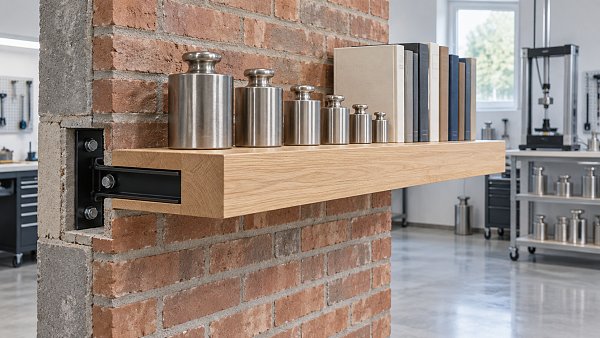
 Home DecorHow to compare floating wall shelves suppliers for consistent load capacityFloating wall shelves supplier comparison guide: evaluate load capacity, brackets, wall fixings, testing, and production consistency before you buy.Interior Sourcing LeadSep 23, 2026