Industry News
Curation by industry experts
Hot Articles
Popular Tags
How bright should a window-facing display be in direct sunlight?
A window facing display high brightness specification is critical when direct sunlight competes with on-screen content. For many sun-exposed storefront applications, displays rated at 2,500 to 3,500 nits are a useful starting point, but brightness alone does not guarantee readability. Reflected glare, viewing angle, heat management, automatic brightness control, and operating conditions can all determine whether a screen remains usable through the day.
Treat that range as a starting point for a site test, not an acceptance criterion. A shaded window with a dark interior behind the screen may need less output; a display behind reflective glazing, facing low-angle afternoon sun, may need a different optical design or physical shading as much as it needs more nits.
Start with the window, not the brightness rating
A nit is a unit of luminance: one nit equals one candela per square meter. It describes the light emitted toward the viewer, not the illuminance falling on the window. Sunlight at the installation is commonly discussed in lux, so the two figures should not be compared directly.
For an initial specification, determine when sunlight can strike the display, where viewers stand, and what they need to read. A screen viewed from across a pavement has a different task from a menu read at close range. Small prices and fine lettering generally demand a more careful assessment of contrast and viewing distance than a full-screen photograph.
Also distinguish direct sun on the panel from a bright outdoor scene reflected in the glass. Both can wash out content, but their remedies differ. Direct solar exposure creates an obvious thermal load; reflections may remain troublesome even when the panel itself is shaded.
Record the window orientation, nearby buildings, awnings, trees and seasonal sun angles. A site inspection on an overcast morning is not enough to establish the worst case for a west-facing shopfront. If the final location is not yet built, use drawings and a site survey to identify the likely exposure, then leave room for a trial before approving a full rollout.
Why a higher nit figure may not solve glare
A window-facing installation can have several reflective surfaces: the display front, any protective cover and the storefront glazing. Each can contribute visible reflections. The screen’s own light also passes through the window before it reaches a person outside, and tinted or coated glass can reduce that light.
This is why comparing two products solely by their advertised luminance is risky. A brighter panel behind highly reflective glass may look worse than a less bright panel with better reflection control and a more favorable mounting position. Anti-reflection treatments and anti-glare surfaces can help, but they are not interchangeable: reducing mirror-like reflections can also change image sharpness or introduce haze. Ask to see the actual front-surface option rather than assuming every finish performs the same way.
Contrast deserves as much attention as white-screen brightness. In sunlight, reflected light raises the apparent black level, making dark text on dark backgrounds difficult to distinguish. Request contrast or reflectance information where available, but check the measurement conditions. A dark-room contrast figure does not predict outdoor readability on its own.
Polarized glazing and polarized sunglasses are another practical concern. Depending on the screen and viewing orientation, polarization can affect what a viewer sees. Test the installed combination, including portrait or landscape orientation, rather than relying on a sample viewed indoors without the window.
What does the quoted brightness actually describe?
Ask suppliers for the measurement conditions behind the nit rating. A useful response identifies whether luminance is measured at the screen surface, the image or test pattern used, the brightness setting, and whether the figure is typical or a minimum. For window-facing projects, clarify whether any stated value is measured before or after protective glass. The display’s rating will not automatically represent the luminance seen through the storefront.
Check whether maximum output can be sustained in the intended environment. A display may reduce backlight output to protect itself when temperatures rise. That behavior can be sensible, but it matters if the reduction occurs during the exact hours when sunlight is strongest. Request the operating temperature range, any temperature-dependent brightness limits and the ventilation assumptions used to establish them.
Brightness also changes with viewing angle. A panel can look excellent directly in front of it and noticeably weaker to pedestrians approaching from the side. Compare candidates from the actual viewing positions, not just from the centerline used for a showroom demonstration. Check color and contrast at those angles as well as perceived brightness.
Heat is part of the optical specification
A display mounted indoors behind glass is not necessarily operating in a mild indoor environment. Sunlight can heat the screen face, enclosure and surrounding air while the backlight adds its own heat. A narrow cavity between the display and window can make removal of that heat more difficult.
The installation should follow the manufacturer’s clearance and airflow requirements, including any conditions for portrait mounting or enclosed cabinets. If fans or external cooling are needed, consider where air enters and leaves, whether filters can be accessed, and how noise and maintenance will be managed. Do not assume a larger gap alone provides adequate cooling; the air still needs a viable path out.
Ask what happens during overheating: Does the unit dim, shut down, issue an alert, or recover automatically? Also check whether direct sunlight on the panel is permitted under the warranty. An operating temperature limit by itself may not explain how the product handles concentrated solar heating at the screen surface.
Set brightness for the whole day
Maximum brightness is useful at the difficult end of the operating day, but running there continuously may be unnecessary. Automatic brightness control can reduce output as ambient light falls, lowering power use and helping avoid a display that is uncomfortably bright after dark. Actual savings depend on the schedule, content and control settings.
Sensor placement is often overlooked. A sensor facing a dark interior may call for a dim screen while the window is in full sun. One exposed to a direct beam may react to a condition that does not represent the viewer’s experience. Confirm where the sensor sits, what it measures and whether the control curve can be adjusted. If the display is managed remotely, check whether brightness settings and sensor status are visible to the operator.
Use a schedule or minimum and maximum limits where appropriate, and review the result on site. Automatic control is not a substitute for considering neighboring properties or local restrictions on illuminated signage; those requirements depend on the installation location.
Run a meaningful side-by-side evaluation
A short trial in the intended window can resolve questions that a specification sheet cannot. Ideally, compare shortlisted displays behind the same glazing, at the same mounting depth and using the same content. Observe them when direct sun and reflections are most challenging, and again after the system has warmed up. If a simultaneous comparison is impossible, document conditions carefully so that later observations remain useful.
The following checks make a trial more informative than a simple “looks bright enough” verdict:
- View from the pavement at the expected distances and approach angles. Check whether the smallest essential text is readable without stopping directly in front of the screen.
- Use representative content, including the darkest design and smallest type likely to be published. A bright white test image can hide contrast problems.
- Observe reflections with doors, interior lights and nearby signs in their normal operating state. Note whether changing screen position or adding shade improves the result.
- Record brightness settings, ambient conditions and any thermal warnings or visible dimming. Allow sufficient time for temperatures to stabilize under realistic exposure.
- Test after sunset at the intended minimum brightness. A screen that works at noon should not become a glare source at night.
A luminance meter can support this assessment if measurements are taken consistently. Record the viewing position, test pattern and whether the reading was taken through the window. Meter readings help compare conditions, but they should be paired with a readability check: the brightest candidate is not necessarily the clearest one.
Build the purchase decision around the installed system
The procurement question is not simply whether to buy a 2,500-nit or 3,500-nit screen. It is whether the complete installation delivers legible content at the required times without unacceptable heat, power demand or maintenance exposure. A lower-output display with better placement may be the better choice in one window; another location may justify a brighter unit and a more substantial cooling arrangement.
Before requesting final quotations, provide suppliers with the window details, mounting drawings, operating hours, content requirements and expected ambient conditions. Ask them to identify assumptions as well as exclusions: mounting hardware, protective glass, cooling, controls, software and on-site commissioning can materially change the comparison.
This is also where a sourcing review should extend beyond the panel. Confirm lead times for the complete configuration, spare-part availability, service access and warranty handling across the markets where the display will operate. Global Supply Review’s broader sourcing perspective is relevant here: a technically suitable display can still be a poor choice if its support model does not match the installation footprint.
For the final acceptance test, agree on the viewing locations, content, operating settings and sunlight conditions in advance. If those conditions cannot be reproduced on installation day, document how the remaining checks will be completed. A defensible brightness specification should describe not only the number on the datasheet, but also the conditions under which the screen must remain readable.
Recommended News
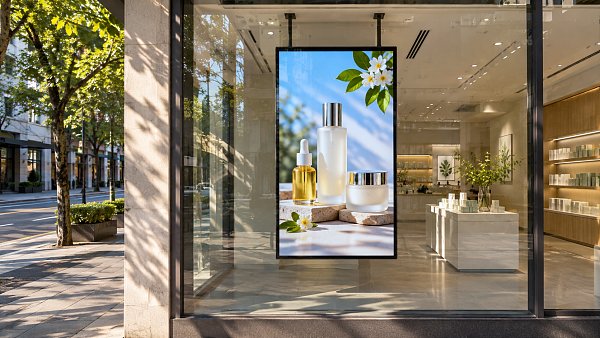
 Commercial DisplaysHow bright should a window-facing display be in direct sunlight?Window facing display high brightness starts at 2,500–3,500 nits for many sunny storefronts. Discover how to manage glare and heat for clear visibility.Commercial Tech EditorNov 10, 2026
 Textile Machinery2026 China Textile Machinery Exhibition in Shanghai Focuses on Global TradeExplore the 2026 China Textile Machinery Exhibition in Shanghai, where global buyers and suppliers can discuss sourcing, technology and trade.Textile Industry AnalystNov 09, 2026
 Fabrics & YarnsHow does order quantity affect PU leather bulk prices?Discover how order quantity affects PU leather bulk price, and compare volume discounts, landed costs, and inventory risks to make a smarter purchase.Textile Industry AnalystNov 09, 2026
 Home DecorHow to choose wholesale dining sets that fit small apartmentsSource dining room sets for apartments wholesale with confidence. Compare space-saving designs, quality, packaging, and landed costs before you buy.Interior Sourcing LeadNov 08, 2026